Flashing ROM with CH341A on Linux [IMSProg]
Hello, I'm incompetent.
I've been using CH341A as an SPI programmer, and I've always used software that runs on my familiar Windows machine, but it turns out there's also one for GNU/Linux machines.
YTEC-info/CH341A-Softwares
It seems to be called IMSProg.
Installation
Pull it with git.
git clone https://github.com/YTEC-info/CH341A-Softwares.git
Install it according to the README.
cd Programas/Linux/IMSProg
mkdir build
cd build
cmake ..
make -j`nproc`
sudo make install
It seems an editor is also included. How thoughtful...
cd IMSProg_editor
mkdir build
cd build
cmake ..
make -j`nproc`
sudo make install
Launching
The binary was generated in /usr/bin, and the path was automatically set.
alleycat:[haturatu]:~/git$ which IMSProg
/usr/bin/IMSProg
So, let's launch it.
alleycat:[haturatu]:~/git$ IMSProg
Couldn't open device 1a86:5512.
Couldn't open device 1a86:5512.
It seems that if CH341A is not connected after launching, a message like "device not found" will appear.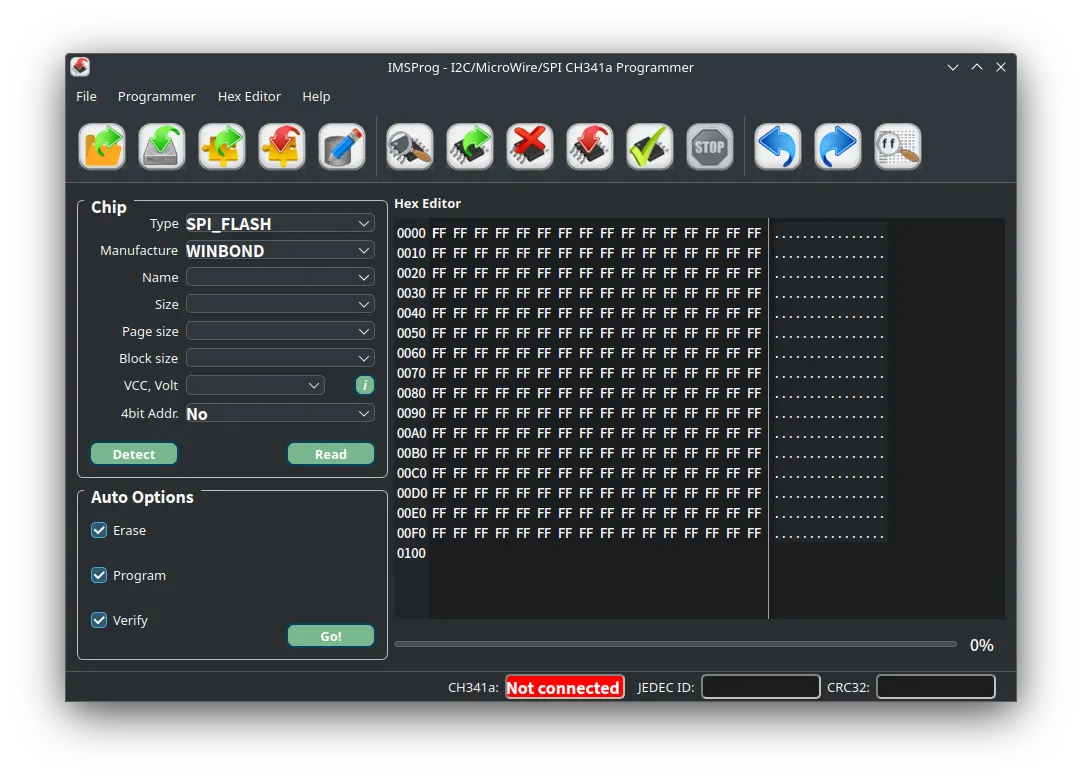
The GUI is quite user-friendly.
That being said, there isn't much difference compared to others.
I was able to write successfully, so there seem to be no issues.
Finally, I'm running out of reasons to boot my Windows machine.
By the way, I keep my BIOS files, including backups, on NextCloud.
And it seems that supported chips can be automatically updated with something called IMSProg_database_update. It's too convenient...
A script to install everything for lazy people
It seems that a script called build_all.sh is also provided, which can build everything at once.
$ cat build_all.sh
#!/bin/bash
if [ "$EUID" -ne 0 ]
  then echo "Please run as root! (sudo ./build_all.sh)"
  exit
fi
cd IMSProg_programmer
rm -rf build/
mkdir build/
cmake -S . -B build/
cmake --build build/ --parallel
sudo cmake --install build/
rm -rf build/
cd .. #IMSProg
cd IMSProg_editor
rm -rf build/
mkdir build/
cmake -S . -B build/
cmake --build build/ --parallel
sudo cmake --install build/
rm -rf build/
# Reloading the USB rules
sudo udevadm control --reload-rules
It seems like all you need to do is give it execute permissions and run it.
That's all for now.
See you next time.