Desired Information for My Own Server
I want to easily check the listen port of a process and conveniently output the used port and service
This article is a continuation of the above.
Hello, it's me, the incompetent one.
I really need some simple system information.
And since I ended up with a command that's too unreadable, I'll try to make it automatically determine things later based on the return value of which...
Connecting pipes like this makes it completely unreadable, so I'll break them down.
If I just use a one-liner like this, many people will get angry, so it's not good.
But I wonder if the CLI getting cluttered is the magic of history____
When it's lengthy,
set -o vi
you can be happy by performing operations in vi mode. It's also effective before setting keymaps if you don't have arrow keys.
FreeBSD
echo -e "`sysctl -n hw.model`\n`printf "%.2f GB\n" $(echo "scale=2; $(sysctl -n hw.realmem) / 1024 / 1024 / 1024" | bc)`\n\n`df -h`\n" && lsof -i -P -n | grep "LISTEN" | awk '{print $1 "," $3 "," $9 "/" $8}' | sort | uniq | column -t -s ","

sysctl -n hw.model CPU information
printf “%.2f GB\n” $(echo “scale=2; $(sysctl -n hw.realmem) / 1024 / 1024 / 1024” | bc) Memory
df -h Disk
lsof * Listen port
GNU/Linux
echo -e "`grep "model name" /proc/cpuinfo | head -1`\n`awk '/MemTotal/ { printf "%.2f GB\n", $2 / 1024 / 1024 }' /proc/meminfo`\n\n`df -h`\n" && lsof -i -P -n | grep "LISTEN" | awk '{print $1 "," $3 "," $9 "/" $8}' | sort | uniq | column -t -s ","
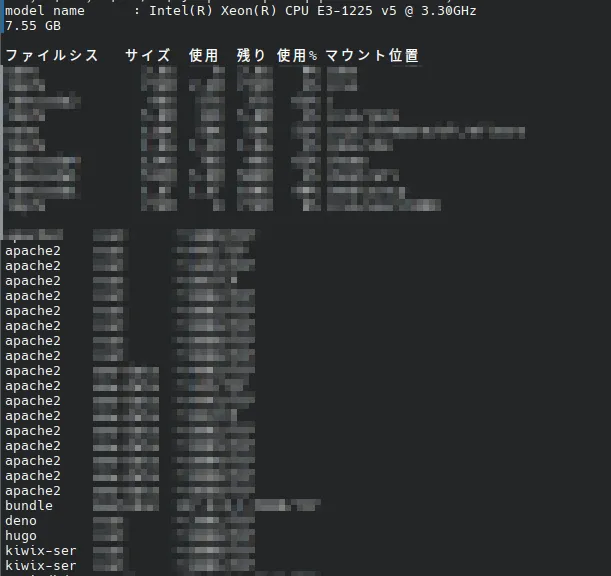
grep “model name” /proc/cpuinfo | head -1 CPU information
awk ‘/MemTotal/ { printf “%.2f GB\n”, $2 / 1024 / 1024 }’ /proc/meminfo Memory
df -h Disk
lsof * Listen port
After that, I'm passing to the next execution with &&, but I need to format everything to be easily readable with the column command.
Although I'm doing it as a one-liner for testing, I'll make sure each part can be executed individually within the code later.
Execution result on ThinkPad X1 (uncensored)
$  echo -e "`grep "model name" /proc/cpuinfo | head -1`\n`awk '/MemTotal/ { printf "%.2f GB\n", $2 / 1024 / 1024 }' /proc/meminfo`\n\n`df -h`\n" &&  lsof -i -P -n -l | grep "LISTEN" |  awk '{print $1 "," $3 "," $9 "/" $8}' | sort | uniq | column -t -s ","

model name      : Intel(R) Core(TM) i7-3667U CPU @ 2.00GHz
7.47 GB

Filesystem   Size  Used  Avail Use% Mounted on
dev               10M     0   10M    0% /dev
run              3.8G  2.4M  3.8G    1% /run
/dev/sda1        234G  144G   79G   65% /
shm              3.8G  101M  3.7G    3% /dev/shm
tmpfs            3.8G   30M  3.8G    1% /tmp
tmpfs            765M   24K  765M    1% /run/user/1000

container  0     127.0.0.1:46445/TCP
cupsd      0     127.0.0.1:631/TCP
cupsd      0     [::1]:631/TCP
pulseaudi  1000  *:42787/TCP
pulseaudi  1000  *:45763/TCP
pulseaudi  1000  *:4713/TCP
sshd       0     *:22/TCP
I was curious why df's Japanese output stopped at ファイルシス (Filesystem), so I looked at df.c in coreutils when $LANG is ja_JP.UTF-8.
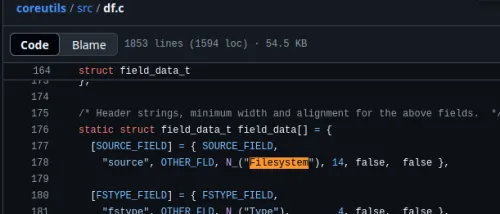
It's not here...
It seems to be po/ja.po, but I wonder where the Japanese version is currently managed.
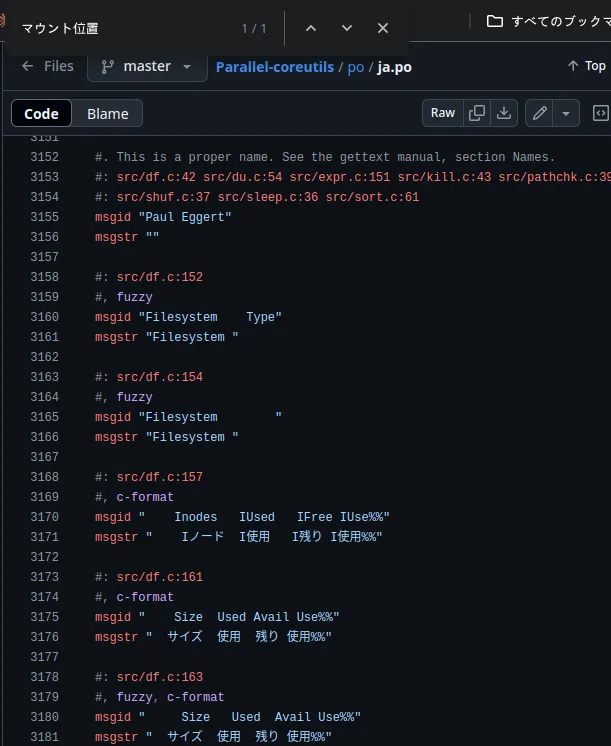
It seems to be translated above, but df doesn't exist.
Hmm.
About PO files PO Files (GNU gettext utilities)
It's quite annoying.