3-Minute Cooking: Launching a Blog or Website in Seconds with Deno's Lume CMS

Hello, I'm Munou.
I've been following Deno for a while, and while looking for an easy-to-implement and lightweight CMS in a simple environment, I came across LumeCMS.
So, assuming Deno is already installed, let's create a directory.
mkdir newsite
Then, install Lume.
deno run -A https://deno.land/x/lume/init.ts
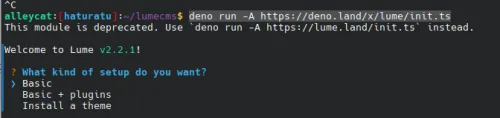
With this, since I want to use a theme this time, select 'Install a theme', and then select '_config.ts'.
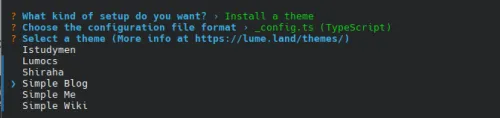
Then, select 'Simple Blog'.
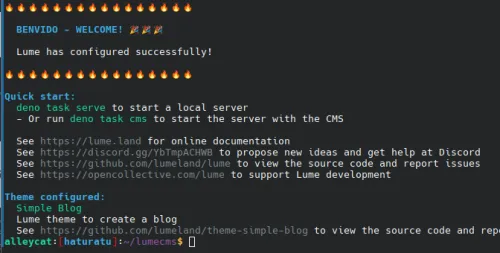
Yes, that's all there is to it. Now, let's try running it.
deno task lume cms
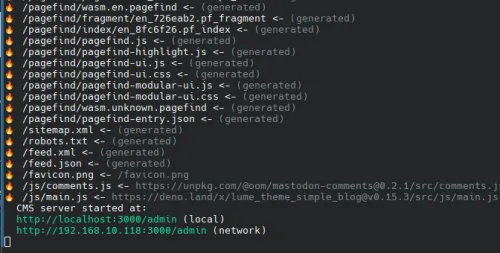
If you access it now...
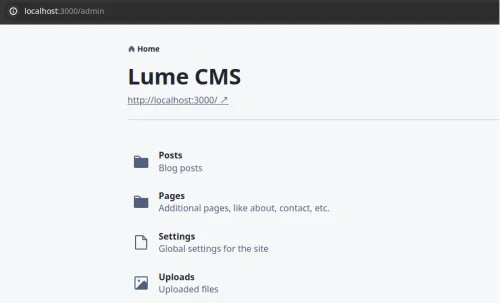

Wow, that was too fast...
However, the standard upload folder is `./uploads`, the directory where `deno task lume cms` was executed, and if you simply copy & paste images in Markdown format in your blog, the path becomes `./_site/uploads`, which means the image paths will be incorrect and images won't display.
I believe this is because the philosophy is to allow LumeCMS to be used in other SSG environments like Hugo.

Therefore, open the `_config.ts` file.
vim _config.ts
import lume from "lume/mod.ts";
import blog from "blog/mod.ts";

const site = lume();

site.use(blog());
// Copy to the uploads folder here
site.copy("uploads", "uploads");

export default site;
With this, images uploaded to `./uploads` will be copied to the `./_site/uploads` folder and can be viewed correctly. I thought it would be easier to freely manipulate the images copied to `./_site/uploads` (e.g., format conversion) if the original files are left in `./uploads`, so I did it this way.
Here is the directory structure after creating a test article:
├── 404.md
├── _cms.ts
├── _config.ts
├── _data.yml
├── _site
│   ├── 404.html
│   ├── archive
│   │   └── index.html
│   ├── favicon.png
│   ├── feed.json
│   ├── feed.xml
│   ├── index.html
│   ├── js
│   │   ├── comments.js
│   │   └── main.js
│   ├── pagefind
│   │   ├── fragment
│   │   │   └── en_3551ff1.pf_fragment
│   │   ├── index
│   │   │   └── en_8fc6f26.pf_index
│   │   ├── pagefind-entry.json
│   │   ├── pagefind-highlight.js
│   │   ├── pagefind-modular-ui.css
│   │   ├── pagefind-modular-ui.js
│   │   ├── pagefind-ui.css
│   │   ├── pagefind-ui.js
│   │   ├── pagefind.en_7625ba4347.pf_meta
│   │   ├── pagefind.js
│   │   ├── wasm.en.pagefind
│   │   └── wasm.unknown.pagefind
│   ├── robots.txt
│   ├── sitemap.xml
│   ├── styles.css
│   ├── test
│   │   └── index.html
│   └── uploads
│       └── images-(2)-(9).jpeg
├── deno.json
├── deno.lock
├── favicon.png
├── posts
│   └── test.md
└── uploads
    └── images-(2)-(9).jpeg
And the article creation page looks like this.
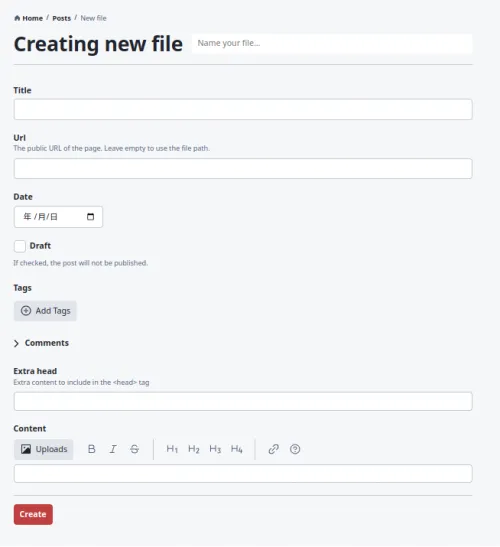
One weakness of SSGs is that you can't post from smartphones (though it's not impossible), and while Markdown is very easy to write, it's tough on a smartphone. However, with this, it has become quite easy to do.
For me, this was exactly what I was looking for, so I hope to be able to migrate my site from now on.
There should be plenty of articles about migrating from WP to SSG. That said, I usually only get around to it when I feel motivated.
That's all for now.
Looking forward to your continued support.