Improving the accuracy of MusicRepair's automatic music file tagging.
Hello, this is Munou (Incompetent).
※Please make sure to back up before proceeding.
I was tagging nearly 40GB of music files with MusicRepair the other day, but unfortunately, there were many failures as shown in the image below...
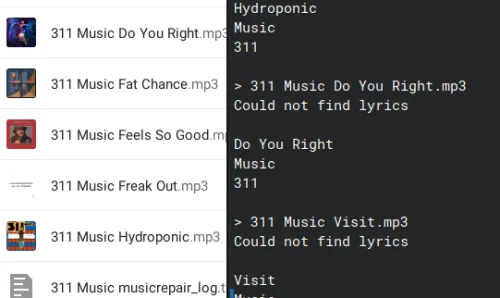
As shown in the image, I also noticed that the -R option, which appends artist names and recursively corrects them, wasn't working well. By applying MusicRepair only to the target directories, the accuracy improved.
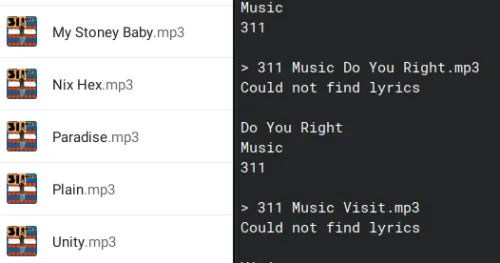
First, to better understand MusicRepair, I watched a 'how-to' video on YouTube:
https://youtu.be/CjJ0wHR3r2Y?si=Jh0PXMFs1PAtcyid
The fact that it also shows 'Google.com' suggests it's simply searching and retrieving information?
This means it's best to format from the filename. In my environment, the hierarchy is /Artist Name/Album Name/Music File, so I wrote a shell script that extracts only the artist name using '/' as a delimiter and prepends it to the music file.
Also, since the -R option for recursively processing directories containing music did not work correctly, I used the find command to display only the lowest-level directories.
find . -type d -links 2 > outdir.sh
Now, MusicRepair will be applied to all the directories found.
sed -i “s/^/musicrepair -d \”/g" outdir.sh
Running it in the background makes it faster than usual, but a huge number of processes will start at once, making it quite heavy. Whether to add & or not is up to each individual.
sed -i “s/$/\” \&/g" outdir.sh
Add #!/bin/bash with vi and grant execute permissions.
chmod +x outdir.sh
Now execute. Since I was connected via SSH, I made sure it would continue running even if the session disconnected.
nohup ./outdir.sh &
This completes it.
Of course, there are still some failures even with the above method, but it is currently a powerful tool for adding metadata tags to music files that have none.
I remember in the past, iTunes or Media Go would automatically tag files just by importing them, but it seems that's no longer possible.
There's also MP3tag, which is similar, but considering it can only add metadata tags per album, being able to process them in bulk on the CLI is convenient.
That's all for now.
Best regards.