My Way of Using the Convenient mdbook - with doctoc -
Hello, it's me, the incompetent one.
mdbook, which allows writing documents in Markdown format and is officially used by Rust for documentation even at work, is very comfortable to use, so I'd like to introduce how I use it.
Installation
Install with cargo install
cargo install mdbook
Install doctoc for table of contents generation, which will be used later.
sudo npm -g install doctoc
Honestly, there are probably other commands that can automatically generate a table of contents in Markdown, but I haven't researched enough.
Initial Setup
Just run mdbook init
~/git/lets-mdbook$ mdbook init

Do you want a .gitignore to be created? (y/n)
y
What title would you like to give the book?
test
2024-11-23 22:19:57 [INFO] (mdbook::book::init): Creating a new book with stub content

All done, no errors...](alleycat:[haturatu]:~/git/lets-mdbook$ mdbook init

Do you want a .gitignore to be created? (y/n)
y
What title would you like to give the book?
test
2024-11-23 22:19:57 [INFO] (mdbook::book::init): Creating a new book with stub content

All done, no errors...
alleycat:[haturatu]:~/git/lets-mdbook$ ls
book  book.toml  src
Here, if you put your article's .md files into src and build it, the output will be generated in the book directory by default.
alleycat:[haturatu]:~/git/lets-mdbook/src$ ls
SUMMARY.md  chapter_1.md](alleycat:[haturatu]:~/git/lets-mdbook$ cat src/
SUMMARY.md    chapter_1.md
alleycat:[haturatu]:~/git/lets-mdbook$ cat src/SUMMARY.md
# Summary

- [Chapter 1](./chapter_1.md)
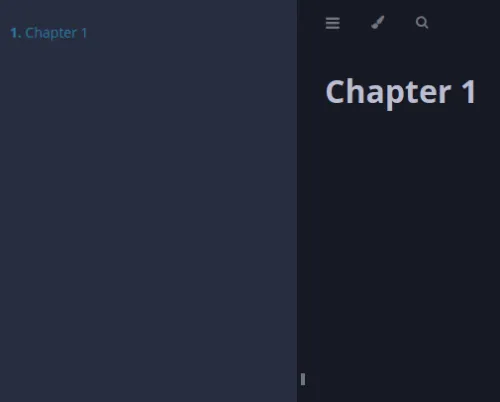
In this src/SUMMARY.md, you can create a table of contents that appears in the sidebar.
Automating Build Tasks with a Shell Script and Creating an Update History
Every time I updated the src directory, I was doing silly things like running the doctoc command and then mdbook build... I thought to myself, "This is stupid..." and I couldn't stand it anymore, so I created a shell script to perform the series of operations even while vim is open.
#!/bin/bash

pwd | grep "src$" || cd src
doctoc .
sed -i "3d" ./*.md
sed -i "/](\#/d" ./SUMMARY.md
sed -i "8a`date`" ./update.md
cd ..

mdbook build
git add .
git commit -m "wip"
git push
This means that with pwd | grep "src$" || cd src, if `src` is included in the `pwd` result, nothing happens. If not, it moves to `cd src`. The reason I'm doing this is because if I run this script with :!../build.sh while editing src/*.md, it would `cd` within the `src` directory, which feels a bit strange, so I did it this way. Well, it wouldn't cause any operational problems even if I didn't do it... Also, this assumes that git remote-url has been set and a git push has been performed once, and update.md looks like this.
<!-- START doctoc generated TOC please keep comment here to allow auto update -->
<!-- DON'T EDIT THIS SECTION, INSTEAD RE-RUN doctoc TO UPDATE -->

- [Update Log](#update-log)

<!-- END doctoc generated TOC please keep comment here to allow auto update -->

# Update Log
2024年 11月 23日 土曜日 22:39:24 JST
With sed -i "8adate" ./update.md, the log of when this script ran remains on the 8th line.
Honestly, if I were to do it properly, it would be much kinder to only add to the update history when a commit actually happened, by checking the return value of git commit, but please bear with me as this was an impromptu script...
Why not use Github Actions?
This build process can actually be used with Actions.
However, what if the environment doesn't allow using other yml assets with uses?
It might be fine if you only use Github Actions, but if you're using GitLab as your Git server, trying to use assets from github.com seems to get a bit complicated (well, that's to be expected...). So I did it this way.
In fact, GitHub Enterprise can be quite troublesome in this regard...
About using actions in your enterprise
So, I thought, 'I can't really rely on that...' and so I, an even less reliable person, wrote it in a shell script...