Installing the Coelacanth-class OS Slackware on X250
A memo of installing Slackware, the oldest Linux distribution, on a ThinkPad X250.
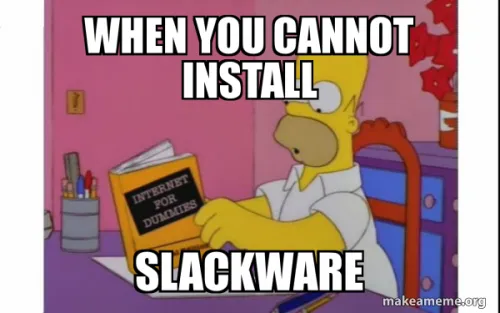
Although memes like this are being made, thanks to pioneers, installation and system understanding progressed easily.
Below is an AI explanation.
Slackwareは、1993年にパトリック・ボルディエールによって作成されたLinuxディストリビューションで、UNIXの哲学に基づいたシンプルで安定したシステムを提供しています。Slackwareは、Linuxの最も古いディストリビューションの1つであり、シンプルさと安定性に重点を置いています。Slackwareは、LinuxカーネルとGNUツールチェーンに基づいており、バージョンアップは頻繁ではなく、長期的な安定性を提供することが目的です。Slackwareは、基本的なOSパッケージ、X Window System、開発ツール、そして多数の追加パッケージを提供しています。Slackwareは、コマンドラインとカスタマイズに慣れ親しんでいるユーザー向けのディストリビューションです。
At first, when I saw criticisms of systemd on the darknet, I had no idea what it was about, but gradually I came to understand it, and I lightly read about customizability and UNIX philosophy.
Then, feeling as if I had been taught by great figures of the past, I wanted to try other init processes, which led me to the Artix Linux I have already installed.
Why Slackware?
In a word,
Romance.
I was just looking for an OS for server construction, and professional sites are useful in such cases.
What I often saw when looking at the requirements for server engineers and Linux engineers was experience with Debian or CentOS.
As for CentOS, when I looked it up, it felt like its support was nearing its end, and I couldn't quite grasp its playfulness, plus it's commercial, so rejected.
However, since the above two are for work, I thought they might be relatively easy to learn among Linux distributions, so I ended up choosing something that seemed 'troublesome ≈ fun'.
I was torn between OpenBSD and Slackware at the end, but I went with Slackware, which first captured my heart.
It was 4 AM, and I was thinking to myself, 'I'm such an idiot.'
The deciding factor was a quote from systemd - Wiki History and Controversy
2012年のインタビューでSlackwareの代表であるPatrick Volkerdingは、systemdアーキテクチャについての不安を述べ、systemdの設計が狭義に定義された機能による相互接続ユーティリティというUNIX哲学に反しているという彼の信念を表明した[68]。2014年8月現在、Slackwareはsystemdのサポートや使用をしていないが、Volkerdingはsystemdへ変更する可能性を否定していない[69]。
From there, I researched Patrick Volkerding, the representative, found his image, and really liked him.
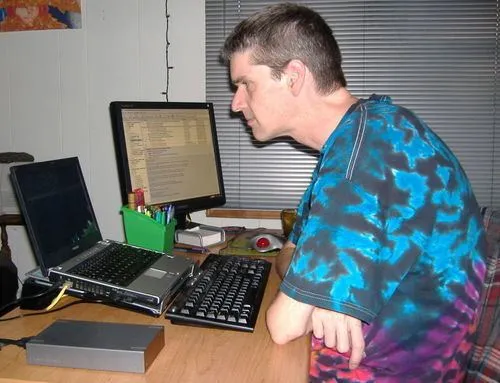
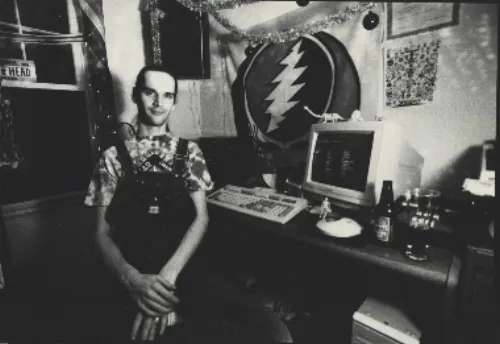
From Wiki, it says he likes Grateful Dead, so he seems to be a free thinker and quite eccentric, which is very interesting.
He loves beer, and apparently loves it so much he even makes his own.
Looking at his Twitter, he seems to be of a respectable age.
I thought, 'If his achievements aren't recorded, they might become an out-of-place artifact (OOPArt),' and so I decided.
And a Grateful Dead Dark Star cover.
It's the best.
Creating the Installation USB
This is where I unexpectedly got stuck.
Basically, following the Counterattack of Slackware's Creating Installation Media was fine, but the dump to the boot USB failed about twice, and it wouldn't boot. Perhaps it was because the screen went to the lock screen midway.
Just to note the commands I typed (Artix Linux)
Check where the USB is mounted with the following:
sudo dmesg
It varies from person to person, like sdb or sdc.
dd if=Slackware_ISO_file of=/dev/the_device_that_just_appeared bs=1M status=progress
It seems that Counterattack of Slackware doesn't include status=progress, but I included it because it visually shows how much progress has been made.
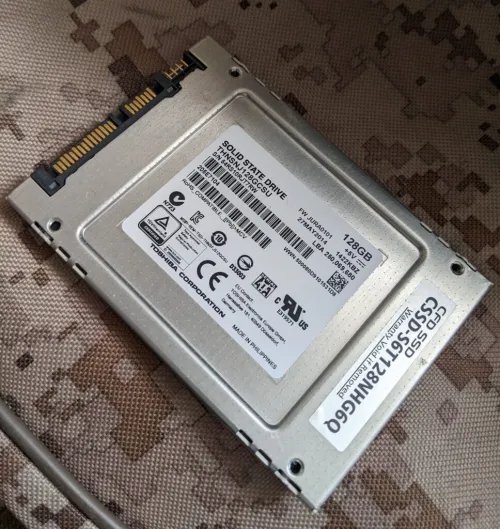
The SSD I'm installing to from the bootable USB is my favorite Toshiba Memory HG6 (now Kioxia).
Installation
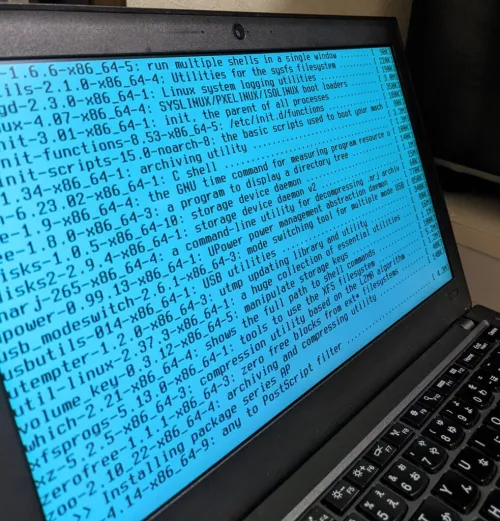
Honestly, while looking at Counterattack of Slackware, I skipped parts that seemed unnecessary & troublesome, and finished.
What I thought was important to mention is that it's better to add a user for sudo and set the path.
Since I used the vim editor after the desktop environment was set up,
sudo vim /etc/sudoers
then press 'i' to enter edit mode, and add the following or uncomment it? (I didn't pay much attention.)
Defaults secure_path="/usr/local/sbin:/usr/local/bin:/usr/sbin:/usr/bin:/sbin:/bin"
This should allow sudo to work.
Also, if sudoers cannot be saved due to system files or similar, press 'esc' and then force save with the following.
:w !sudo tee %
:q
That's all.