FreeDB, a Free CDDB, has closed, so I'm using MusicRepair with the Spotify API to automatically retrieve tags.

Hello, I am incompetent.
FreeDB, which I used to rely on quite a bit in the past, has shut down.
So, I found MusicRepair, which can automatically retrieve tags using the Spotify API, so I'll use it.
Github
https://github.com/kalbhor/MusicRepair
You can install it with pip.
pip3 install musicrepair
musicrepair
When you type that, on the first launch, it will complain, 'Give me the API key!'
Warning, you are missing the Spotify client ID. Add it using --config


Warning, you are missing the Spotify client secret. Add it using --config


Warning, you are missing the Genius key. Add it using --config


usage: musicrepair [-h] [-c] [-d REPAIR_DIRECTORY] [-R] [-r REVERT_DIRECTORY] [-n] [--format RENAME_FORMAT]

  __  __           _      _____                  _
 |  \/  |         (_)    |  __ \                (_)
 | \  / |_   _ ___ _  ___| |__) |___ _ __   __ _ _ _ __
 | |\/| | | | / __| |/ __|  _  // _ \ '_ \ / _` | | '__|
 | |  | | |_| \__ \ | (__| | \ \  __/ |_) | (_| | | |
 |_|  |_|\__,_|___/_|\___|_|  \_\___| .__/ \__,_|_|_|
                                    | |
                                    |_|

______________________________________________________________
|                                                            |
| Tries to find the metadata of songs based on the file name |
|                                                            |
| Update : pip install musicrepair -U                        |
|                                                            |
| https://github.com/lakshaykalbhor/MusicRepair              |
|____________________________________________________________|

options:
  -h, --help            show this help message and exit
  -c, --config          Add API keys to config

  -d REPAIR_DIRECTORY, --dir REPAIR_DIRECTORY
                        Specifies the directory where the music files are located

  -R, --recursive       Specifies whether or not to run recursively
                                                in the given music directory

  -r REVERT_DIRECTORY, --revert REVERT_DIRECTORY
                        Specifies the directory where music files
                                                that need to be reverted are located

  -n, --norename        Does not rename files to song title

  --format RENAME_FORMAT
                        Specify the title format used in renaming,
                                                these keywords will be replaced respectively:
                                                {title}{artist}{album}
So, I'll go get the Spotify API.
I've always had a bad relationship with Spotify; just opening someone's playlist would cause a redirect loop, and this time too, the site was slow and I couldn't access it like this, so I probably won't use it in the future. Perhaps they're dedicating all their resources to the mobile API.
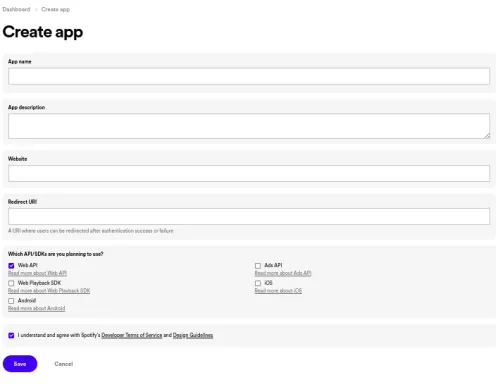
Honestly, the Redirect URI can be anything, but since it was a required field, I entered my site with a different domain. If it's just for API usage, I honestly think a fictitious one would be fine.
Then, check WebAPI and it will be issued, so just paste it into MusicRepair.
musicrepair --config
Enter Spotify client ID : the client key you obtained here
Enter Spotify client secret : ~secret key
And now, since it's asking for a Genius API key to get lyrics, I'll go get it.
Coincidentally, I had already gotten an API key a year ago for AI lyric translation, so I'll use that as is.
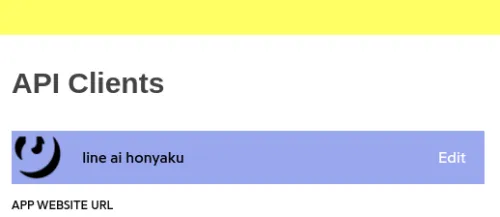
The name I gave to the API was too sloppy, which even made me laugh.
Enter Genius key : Enter Genius CLIENT ID
Now the setup is complete.
Since I want it to search recursively within the directory, I'll add the -R option.
musicrepair -d music_folder -R
This will automatically retrieve them.
Since I want it to run in the background even if the SSH session is disconnected,
if I try to rename additionally, it seems an error might occur if there are special characters, so I'll add an option not to rename.
nohup musicrepair -d music_folder -R -n &
I'll set it up like this.
That's all for now.
Looking forward to seeing you again.